 Janitha Illankoon
When you present standing up, the PC is out of reach. Ghost Remote, the Android app that comes with Ghost In The Script 1.6.0, turns your phone into a remote for the prompter: play and pause, jump around the script, change the pace, and move it on screen.
What you need
- Ghost In The Script 1.6.0 or newer on the PC
- An Android phone with Android 7.0 or newer
- The phone and the PC on the same Wi-Fi network
Pair your phone
- Install Ghost Remote. Download
Ghost-Remote_x.y.z.apkfrom the latest release on your phone and open it to install. Android may ask you to allow installs from your browser or file manager first. - Turn on the remote on the PC. Open Settings > Remote and turn on Allow a Phone to Control the Prompter. A pairing QR code appears on the prompter and in Settings.
- Scan the code. In Ghost Remote, press Scan QR Code and point the camera at it.
- Allow the network the first time. Windows may ask whether Ghost In The Script can use the network. Allow it on private networks.
After that, the phone reconnects to the same PC on its own.
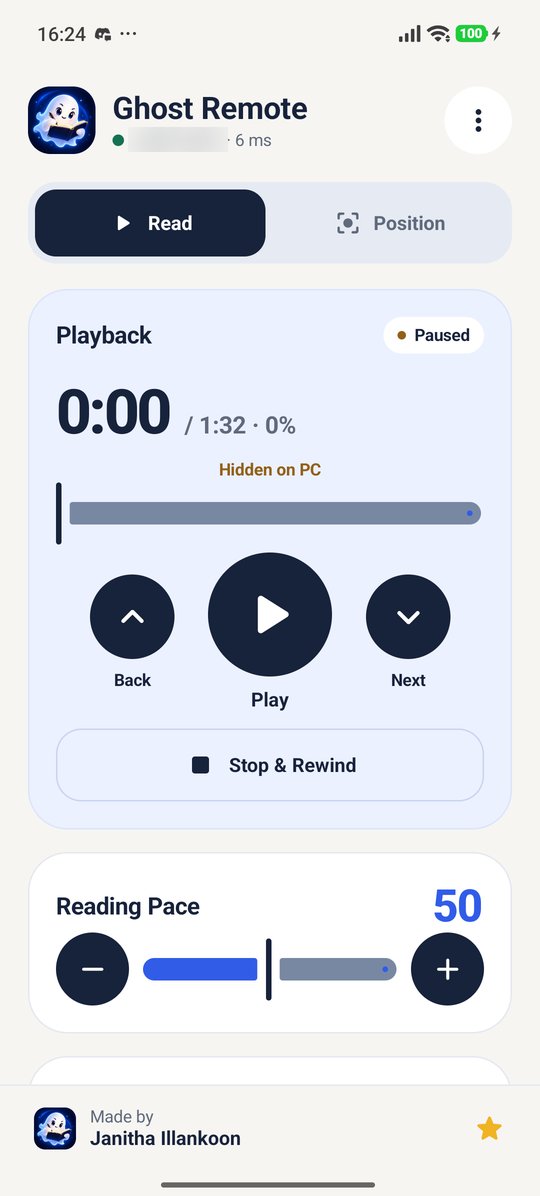
The Read tab
- Play and pause, with the time so far, the total and how far through you are on one line
- A slider to jump anywhere in the script
- Back or forward one line, and Stop & Rewind
- Reading pace and scroll mode
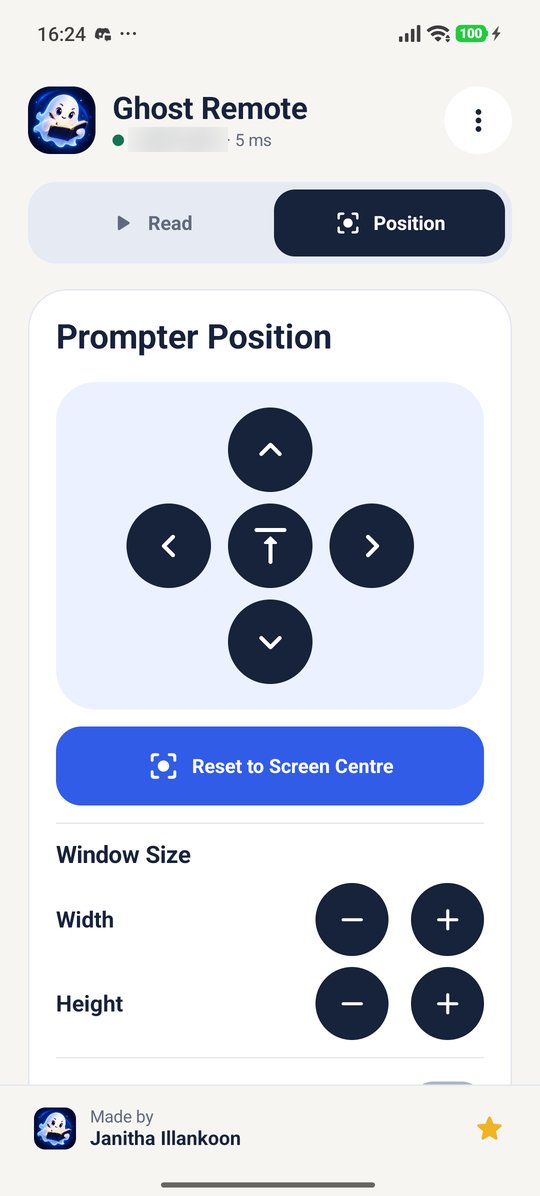
The Position tab
- Arrows to move the prompter, and a button to put it at the top centre of the screen
- Reset to Screen Centre if it ends up somewhere you can't reach
- Width and height, and click-through on or off
- Fine Adjustment to make each step smaller
Moves and resizes always keep the prompter fully on its screen.
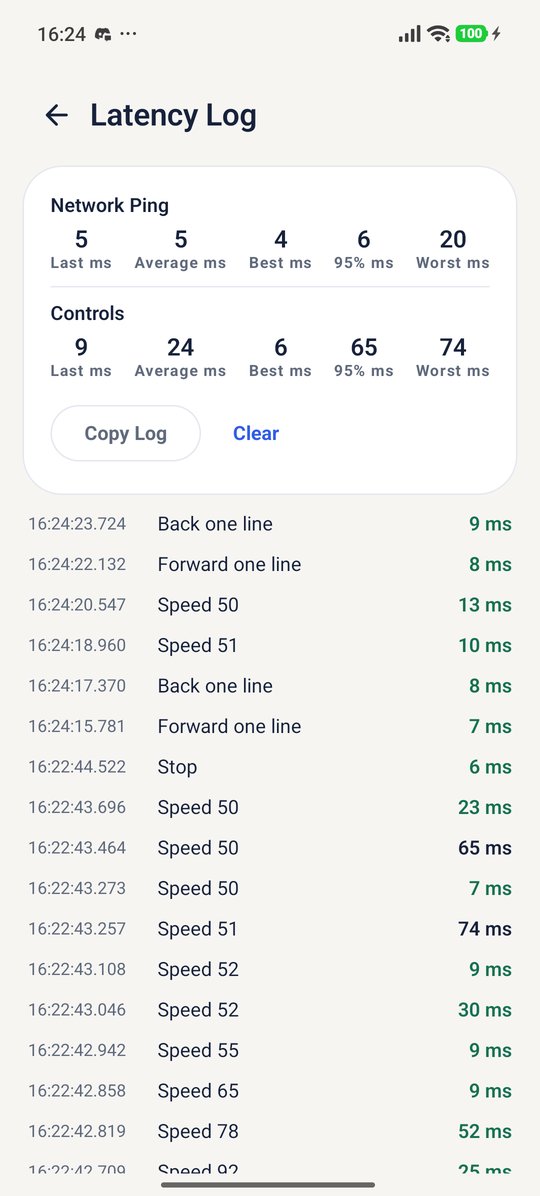
The Latency Log
In the ⋮ menu, the Latency Log shows how quickly the PC answers, for pings and for each control, with Copy Log to share it. If the remote feels slow, this tells you whether it's the Wi-Fi.
What the phone can and can't do
The phone can only drive the prompter. It can't show or hide windows, can't reach the main window or your scripts, and nothing connects without the pairing code. New Pairing Code in Settings disconnects any phone paired with the old one. The connection stays on your local network.
If it won't connect
- Check that both devices are on the same Wi-Fi network, not one on mobile data.
- Make sure Windows allowed Ghost In The Script on private networks, and that the Wi-Fi is set as a private network in Windows.
- Some guest and campus networks stop devices from seeing each other. A phone hotspot or home network usually works.
- If you made a new pairing code, scan it again.